
Download PrcInfo – System Utilities, Process Monitoring, Windows Tool
Overview
PrcInfo is a specialized system utility designed for Windows users seeking detailed insight into active processes running on their machines. The app functions as a real-time process monitor, offering users a comprehensive view of execution status, attributes, and dependencies across both main processes and their sub-processes. Its primary purpose is to enhance system transparency, enabling users to identify resource-intensive applications, troubleshoot performance issues, and maintain control over background operations.
Targeted primarily at technical users, developers, and advanced PC administrators, PrcInfo serves as a lightweight yet powerful diagnostic tool. It is particularly useful in scenarios involving system slowdowns, unexpected crashes, or suspicious activity where process behavior needs to be analyzed. By displaying key metrics such as memory usage, process priority, and file paths, it empowers users to make informed decisions about process management.
The developer, PrcInfo Team, has positioned this tool within the system utilities category, emphasizing its role in optimizing system performance and security. Although the developer did not provide additional background details, the app’s focus on process transparency aligns with the growing demand for accessible system monitoring tools in the Windows ecosystem. PrcInfo fills a niche by offering a free, no-frills solution for users who require more granular control than what is available through the default Task Manager.
Key Features & Functionality
- Comprehensive Process Monitoring: PrcInfo delivers detailed data on all running processes, including execution state, attributes, and dependency chains. This allows users to understand not just what is running, but how processes interact with each other and the system.
- Sub-process Management: The tool supports both main and nested sub-processes, giving users visibility into hierarchical process structures. This is especially beneficial for debugging complex software environments or monitoring multi-threaded applications.
- Effective Search Functionality: A built-in search engine enables quick identification of specific processes, even in systems with hundreds of active tasks. Users can filter results by name, path, or memory usage to locate targets efficiently.
- Resource Usage Insights: Real-time tracking of memory consumption per process helps users detect performance bottlenecks. High-memory usage can be flagged and investigated, allowing for timely intervention.
- User-friendly Interface: Despite its technical capabilities, the interface is designed for clarity and accessibility. Process data is presented in a structured, easy-to-scan format, reducing cognitive load during system analysis.
For example, a developer troubleshooting a memory leak in a custom application can use PrcInfo to monitor the process’s memory footprint over time, identify its sub-processes, and verify whether the issue persists across threads. Similarly, a system administrator can use the tool to audit unauthorized processes during a security review.
Interface, UX & Performance
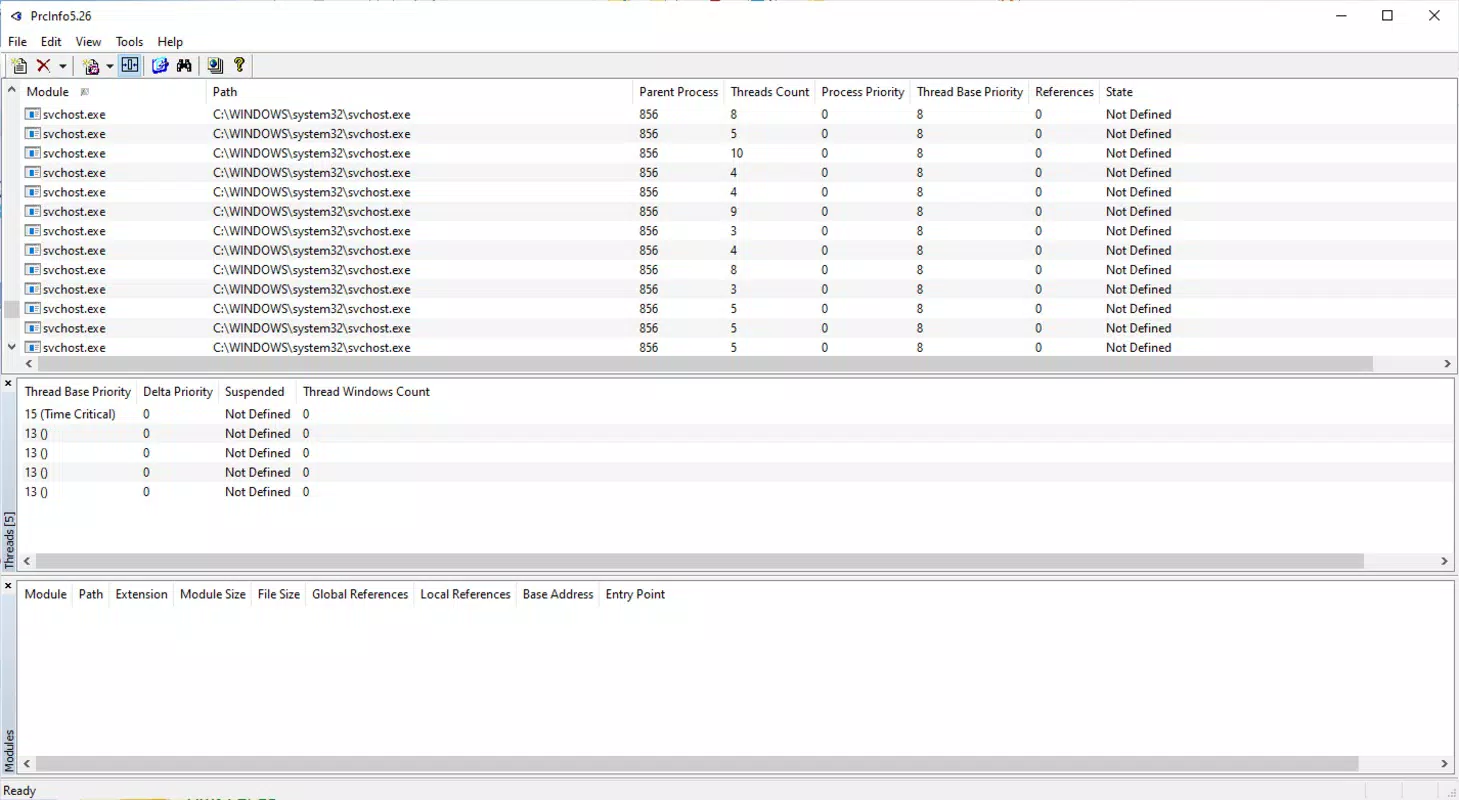
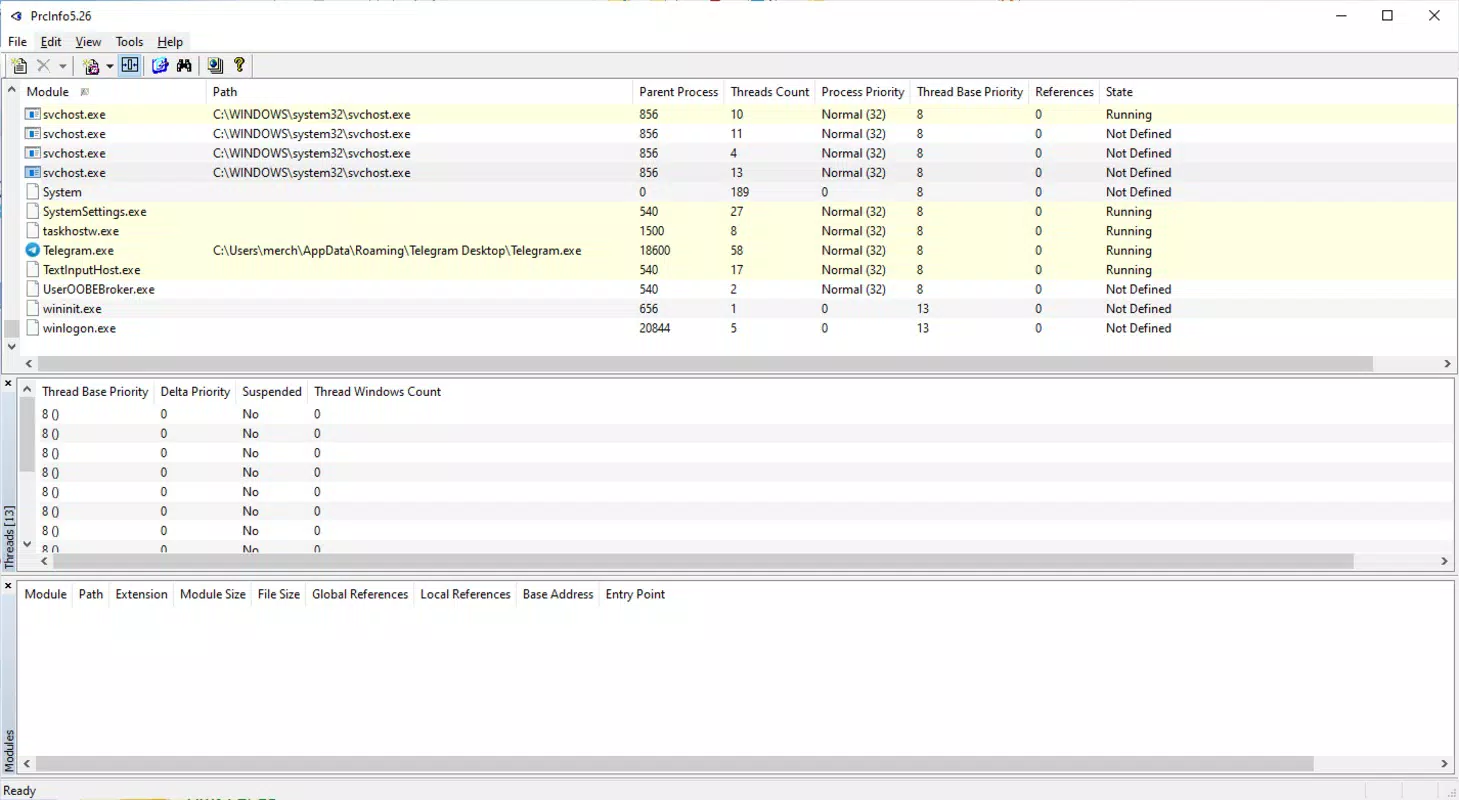
PrcInfo presents a clean, text-based interface optimized for functionality rather than visual flair. The layout organizes process data into columns, including process name, memory usage, priority, and path, allowing for quick scanning and comparison. Navigation is straightforward, relying on standard controls such as search bars and refresh buttons, which ensures a low learning curve.
Although the developer did not list formal performance metrics, the app’s lightweight footprint of 2.5 MB suggests minimal system impact. It is designed to run efficiently in the background without consuming significant CPU or RAM. Responsiveness is expected to be high, given the tool’s focus on real-time updates and minimal resource demands.
Stability appears to be a core design goal, as the tool is intended for continuous monitoring without crashes or data loss. Users can expect consistent behavior across different Windows environments, though specific compatibility details were not disclosed. The interface remains responsive during high-process loads, maintaining usability even when numerous tasks are active.
Platform Compatibility & Technical Requirements
PrcInfo is designed for the Windows platform and requires a compatible Windows operating system. The current version is 1.0.0, with a file size of 2.5 MB. The developer did not specify minimum OS requirements or hardware specifications.
Given its lightweight nature and focus on system-level monitoring, it is likely compatible with modern Windows versions such as Windows 10 and Windows 11. However, compatibility with older systems like Windows 7 or 8 cannot be confirmed without official documentation. The app is available as a standalone executable, which simplifies installation and does not require administrative privileges for basic operation.
Pros and Cons
Pros
- Free to download and use with no hidden costs
- Lightweight file size (2.5 MB) ensures minimal system impact
- Real-time monitoring of processes and resource usage
- Clear, organized interface suitable for both beginners and experts
- Supports sub-process visibility and dependency tracking
Cons
- Developer did not provide detailed system requirements
- Platform availability limited to Windows only
- No cloud integration or remote monitoring capabilities
- Interface lacks advanced customization options
- Update frequency and long-term support status not disclosed
FAQ
Is PrcInfo safe to download and install?
Yes, PrcInfo is a free utility developed for Windows systems. It is distributed as a standalone executable without bundled adware or malware. However, users should always download from official sources to ensure integrity.
Can PrcInfo be used on older versions of Windows?
The developer did not specify compatibility with Windows 7, 8, or earlier versions. While the tool may function on older systems due to its lightweight design, this has not been officially confirmed.
Does PrcInfo require admin rights to run?
Based on typical behavior for system utilities of this type, PrcInfo likely operates without requiring elevated privileges. However, full access to all processes may require administrator rights in some cases.
How often does PrcInfo update?
The current version is 1.0.0, released on May 18, 2023. The update schedule and future development plans were not disclosed by the developer.
Can I monitor processes across multiple devices with PrcInfo?
No, PrcInfo is a local system tool and does not support remote or multi-device monitoring. It operates solely on the machine where it is installed.
Final Thoughts
PrcInfo stands out as a focused, efficient tool for Windows users who need to monitor and manage system processes. Its ability to display detailed process information, including memory usage, priority, and file paths, makes it a valuable asset for troubleshooting and performance optimization. While it lacks advanced features like remote access or cloud reporting, its simplicity and reliability are significant strengths.
For developers, IT professionals, and power users, PrcInfo offers a no-nonsense way to gain control over background operations without relying on heavier alternatives. The free pricing model further enhances its appeal, making it accessible to a broad audience.
Download PrcInfo now


